

The first major update to Yasan Launcher, Spacetime Continuum, is here!
Since this is also the first blog post about the launcher, I want to use it as an introduction to the project and what Yasan Launcher is today, instead of focusing on what has changed from previous versions.
Yasan Launcher In A Nutshell
Yasan Launcher is a context-aware intelligent Android launcher that adapts to how you use your phone.
Instead of being a static home screen, it changes throughout the day based on what you are doing, where you are, or what you need at that moment.
Yasan Launcher Origins
Yasan Launcher originally started as mnml Launcher, a weekend project I built to test a prediction algorithm I had in mind. Over time, that experiment became Yasan Launcher and grew into a more complete launcher, but I eventually stopped working on it.
A few months ago, I decided to revive the project with a rewrite. That new version has been publicly available for a while, but most of the work so far has been foundational preparation for this release.
Intelligence
Yasan Launcher Intelligence, formerly known as Yasan Launcher AI, is an on-device prediction engine that learns your usage patterns and predicts which apps you are most likely to use next.
These predictions are used across the launcher to let you access the apps you need without having to search for them.
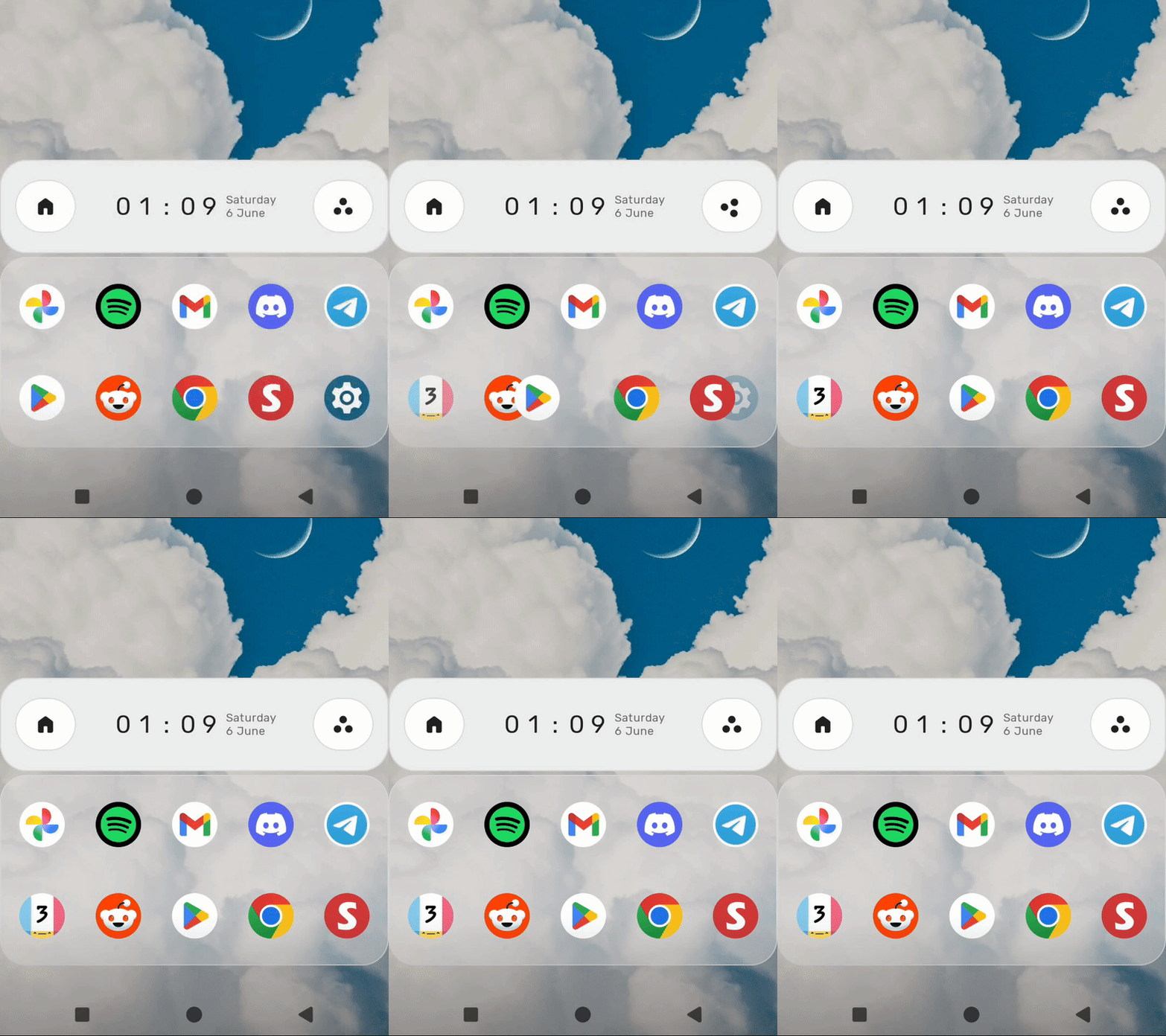
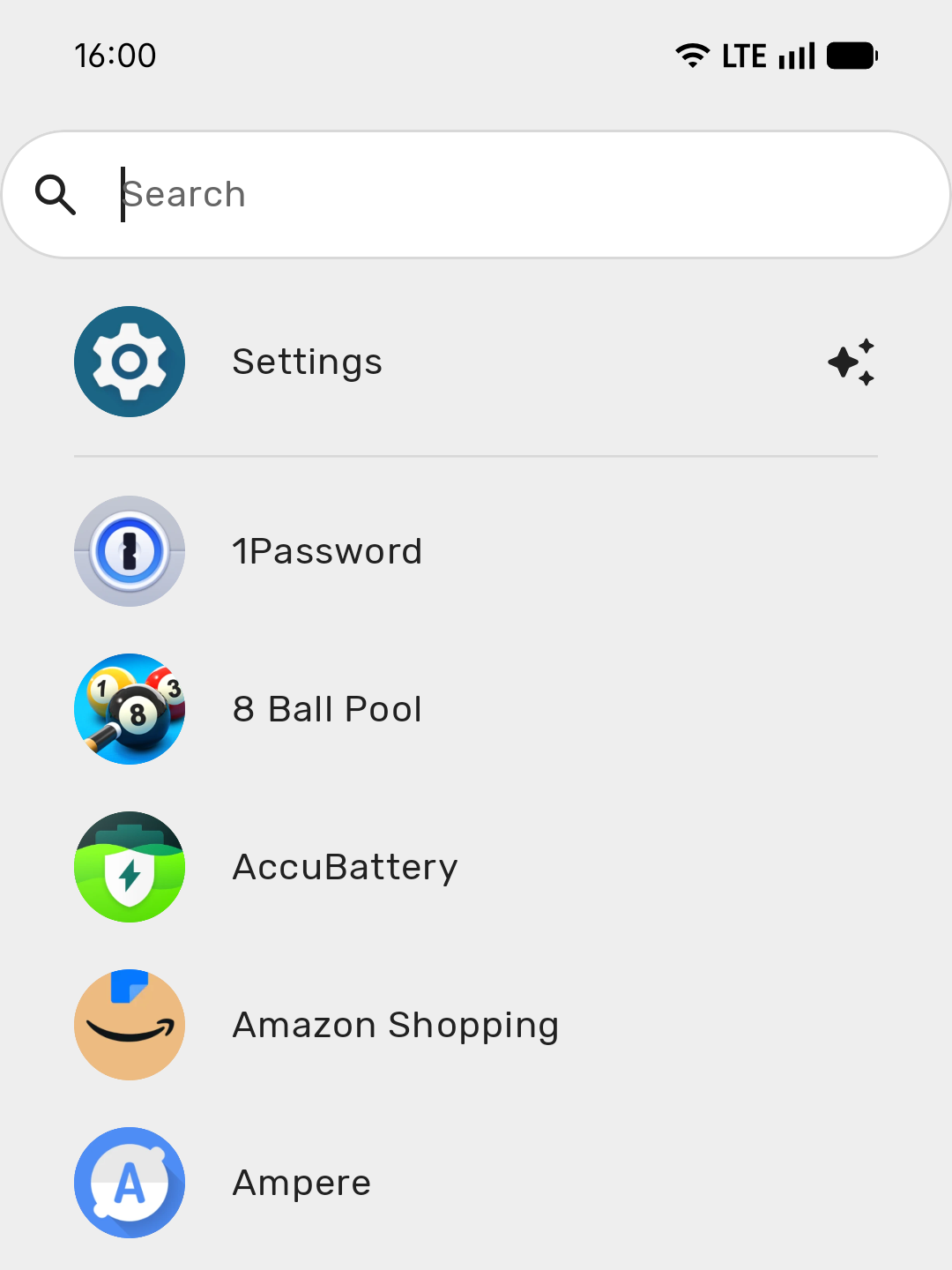
For example, the home screen apps are automatically updated based on these predictions throughout the day, and when searching for apps you are shown proactive search results based on what the launcher predicts you are going to search for.
IQ & Memory
Since Yasan Launcher Intelligence learns from your very own usage patterns, it becomes more accurate the more you use it.
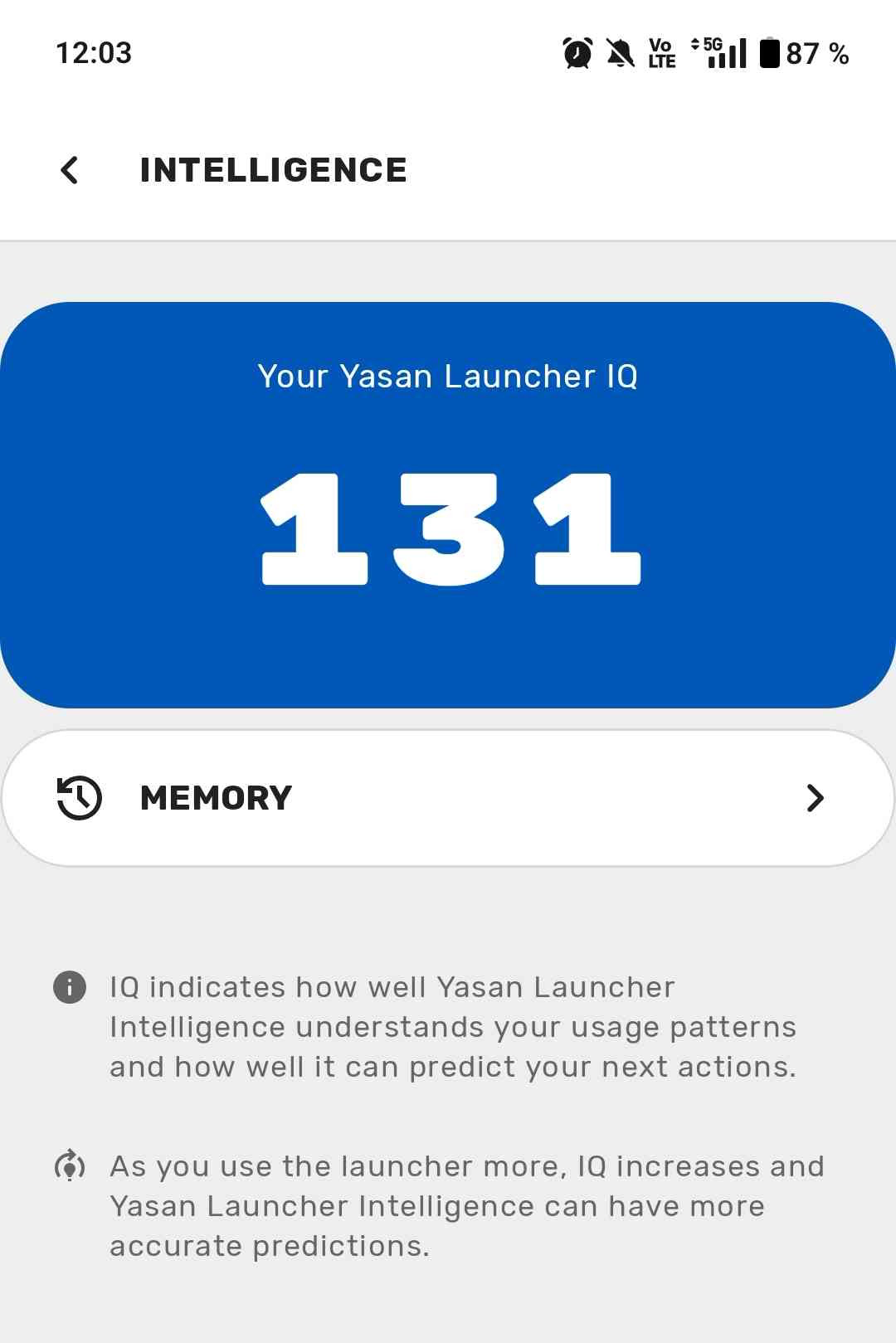
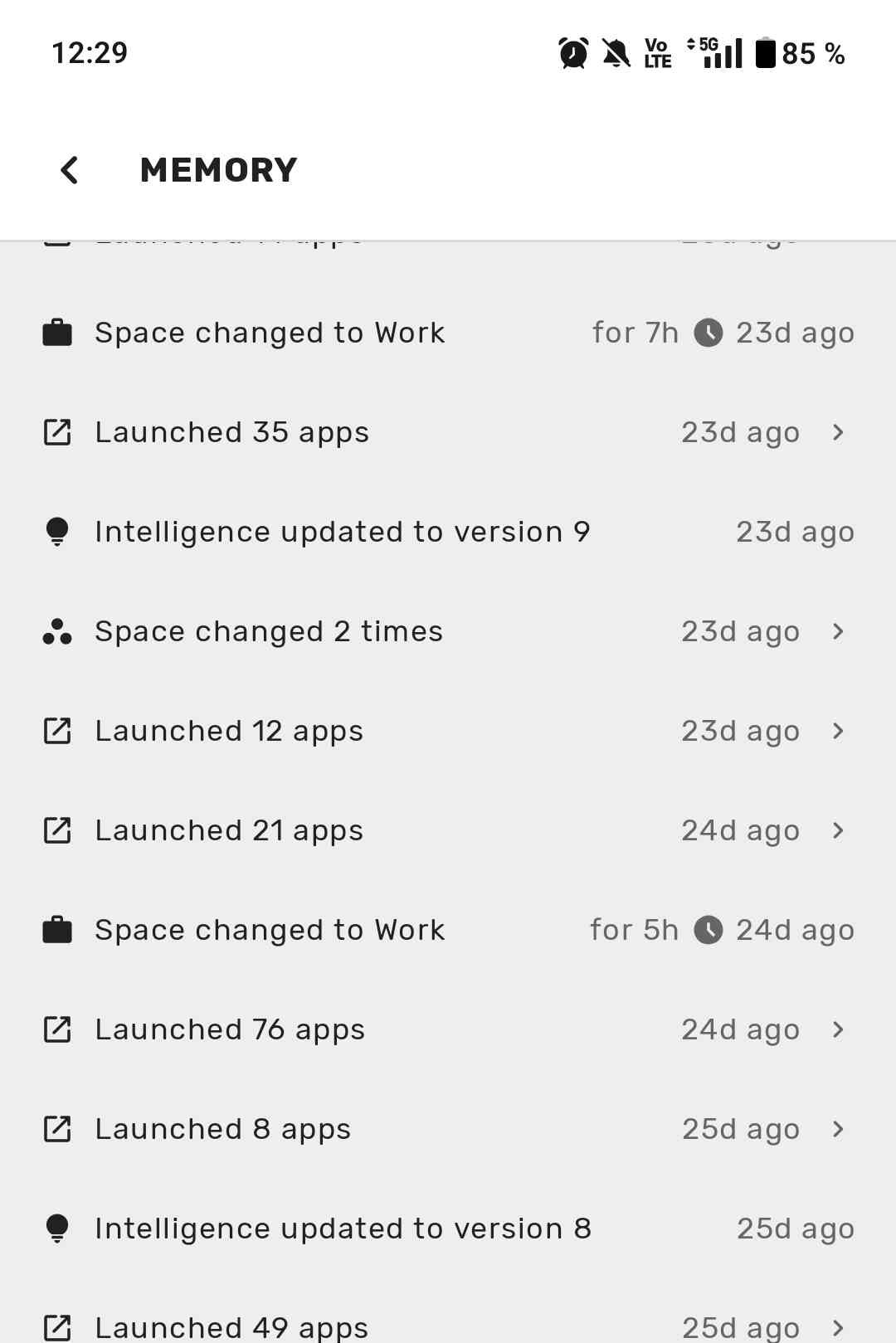
In the Intelligence settings, you can see the IQ value, which represents how much the launcher has learned about your usage patterns. There is also a Memory screen that shows some of the data the intelligence system uses to make predictions.
Spaces
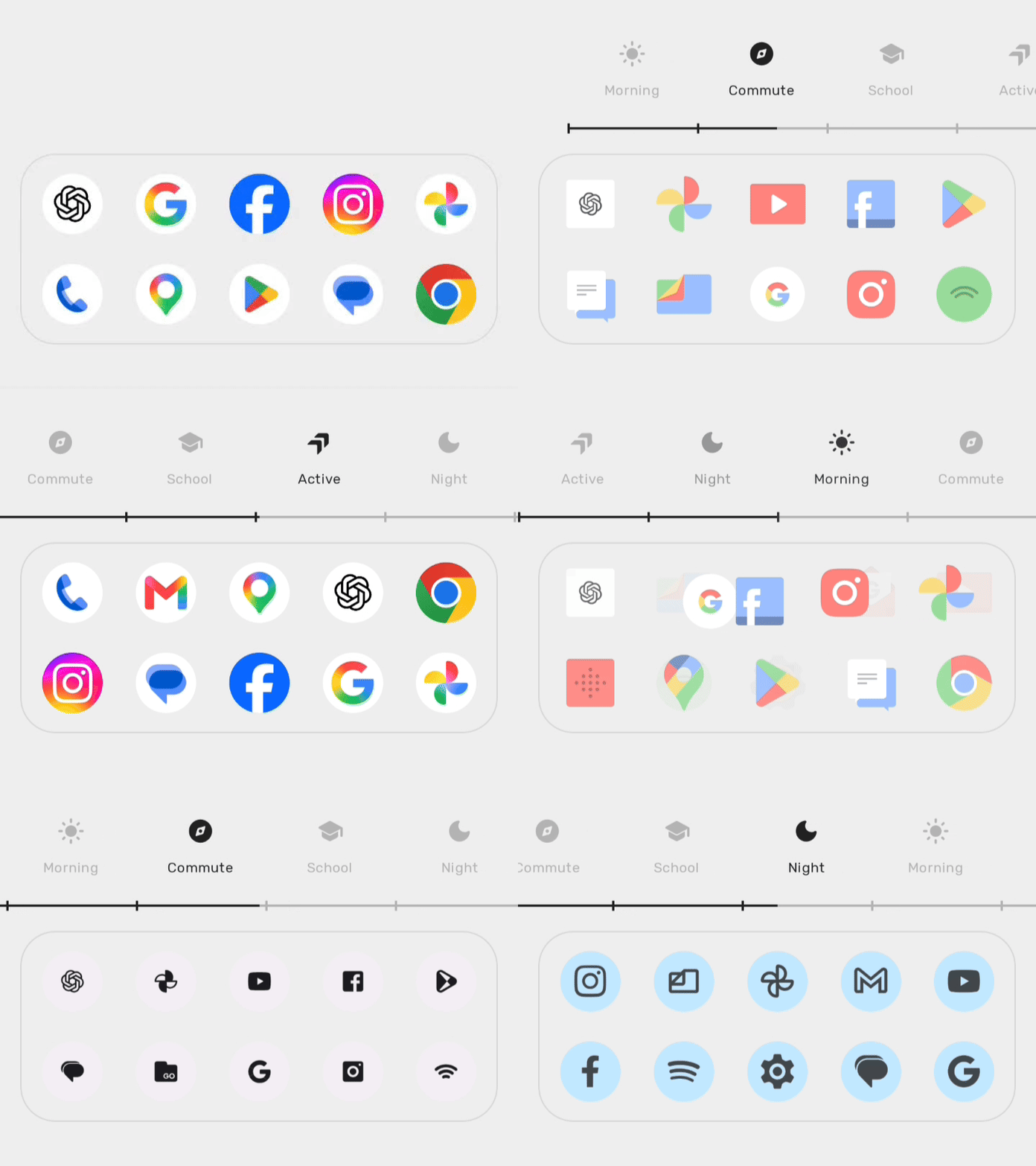
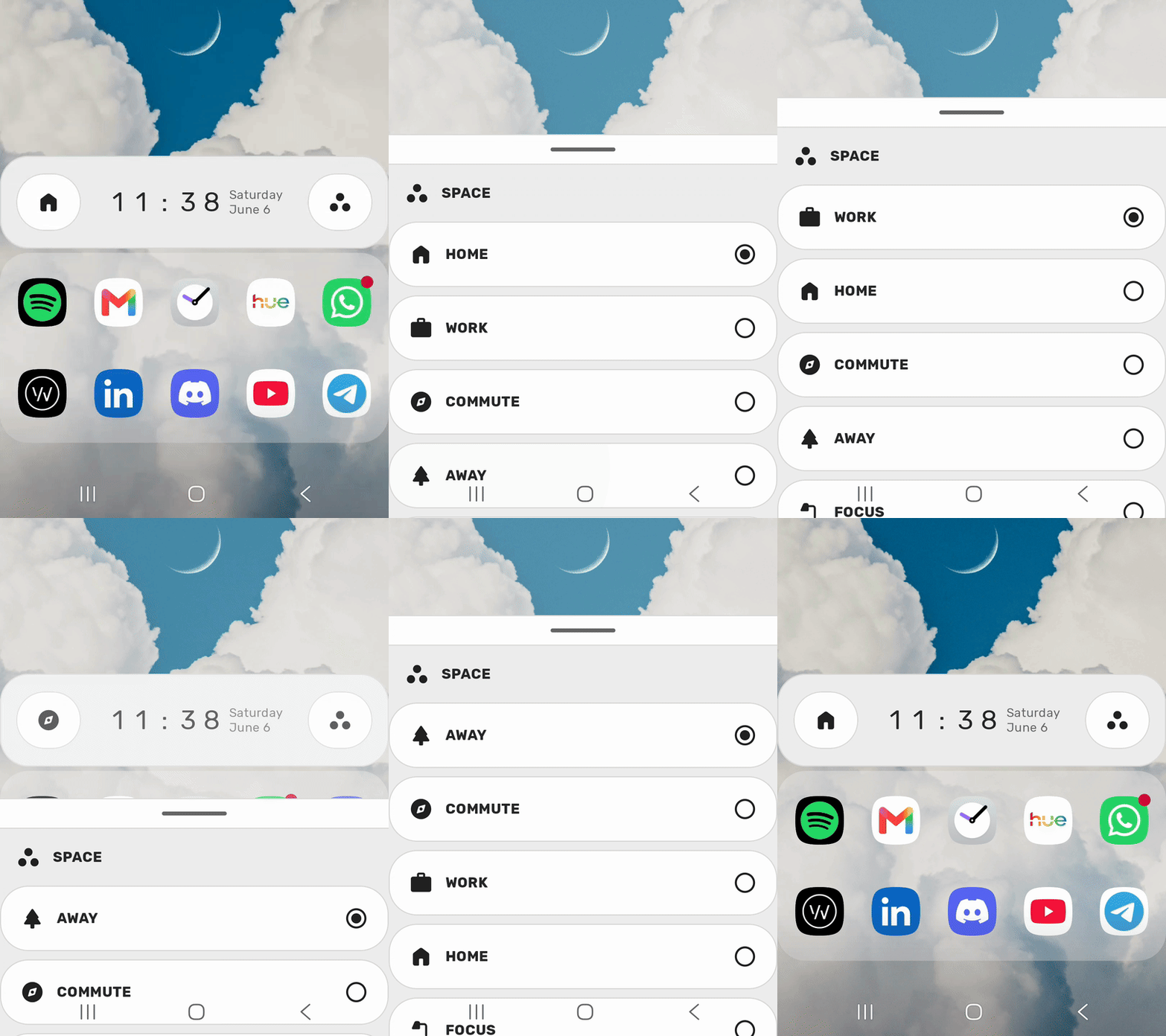
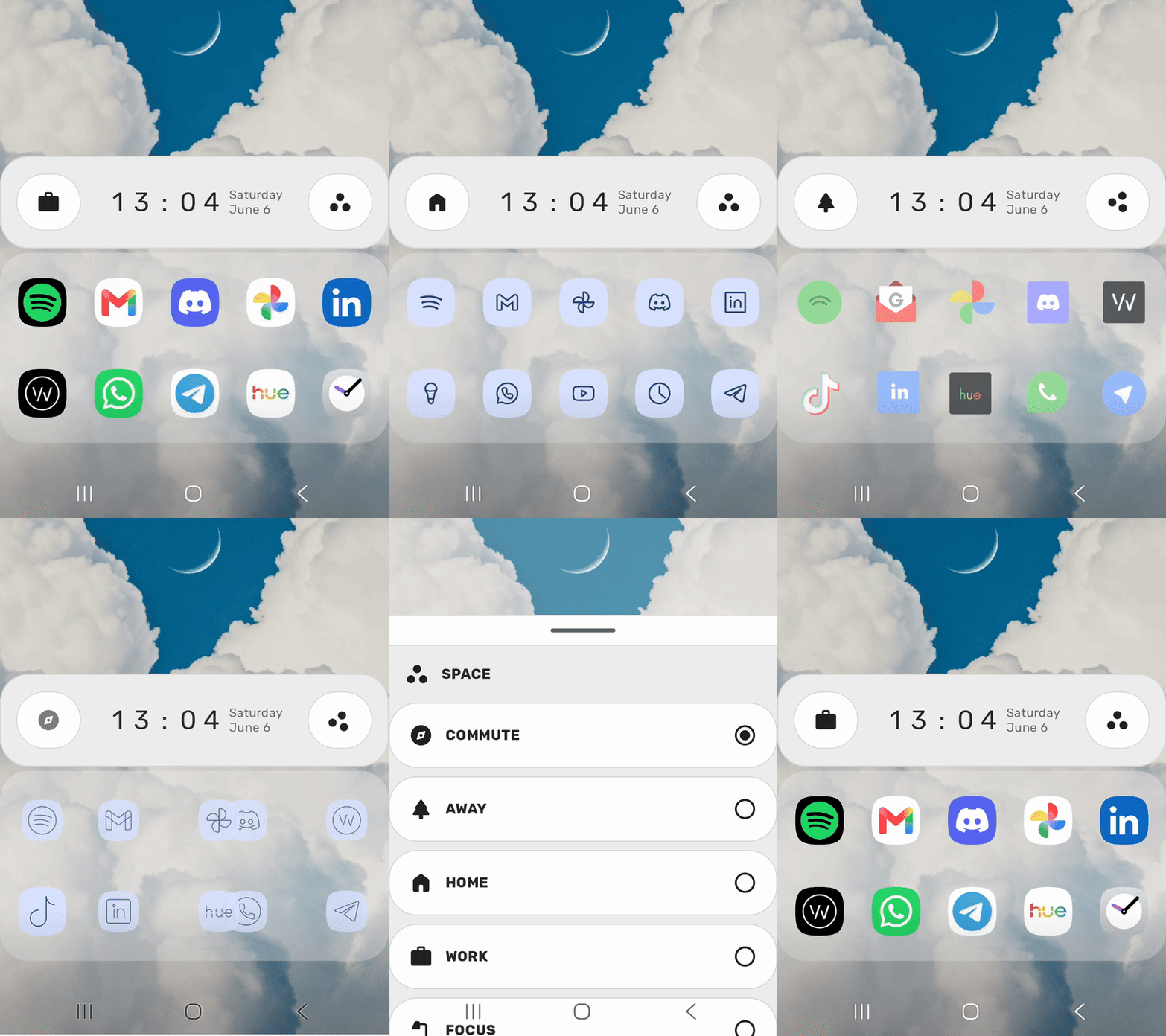
Spaces represent where you are and/or what you are doing. They let you optimize your home screen for the specific needs of every moment in your day.
The current spaces include Home, Morning, Night, Commute, Away, Active, Focus, Work, and School. The non-essential ones, such as work and school, can be disabled in the settings.
Space-Based App Visibility
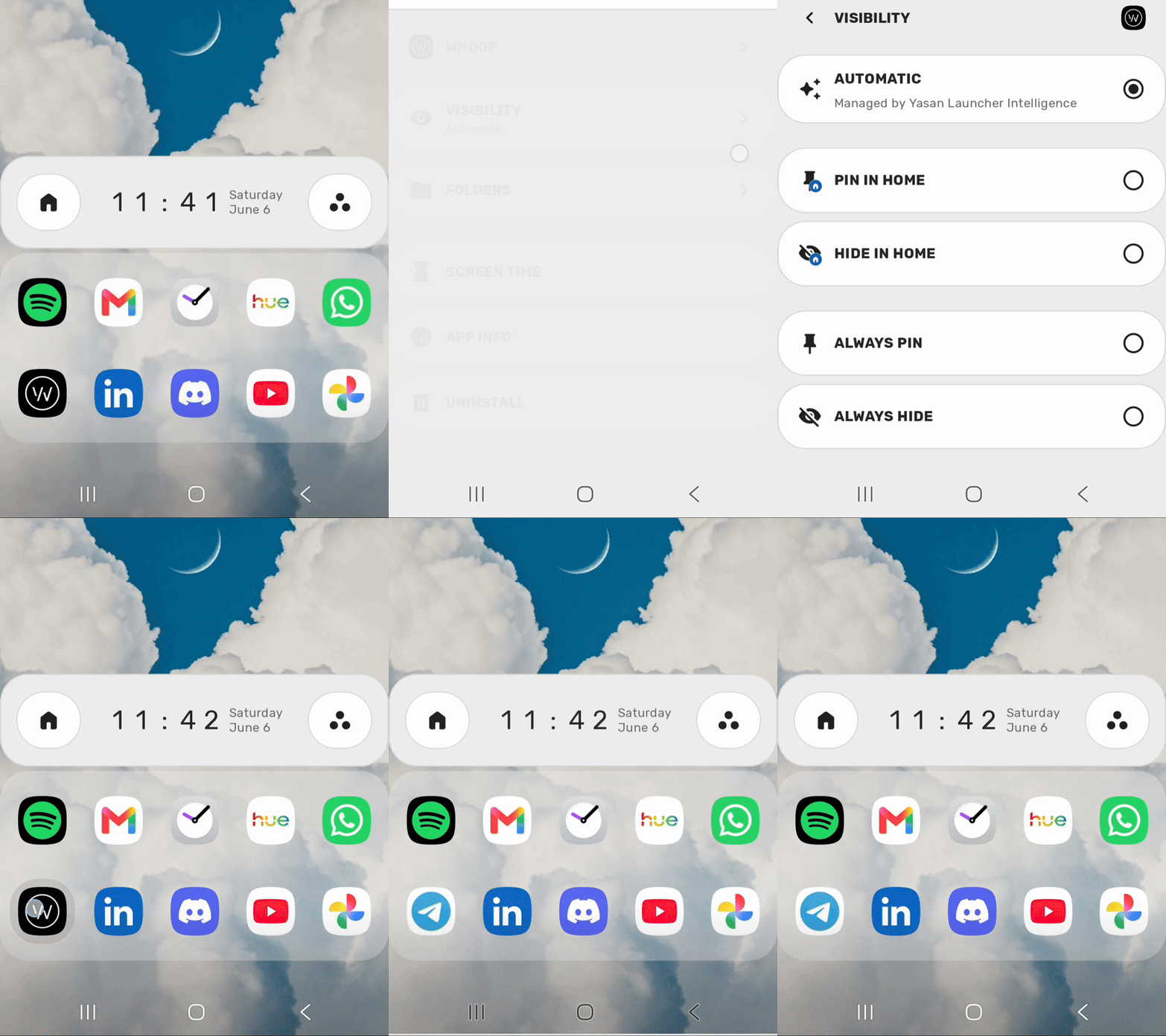
By default, Yasan Launcher Intelligence manages the visibility of all apps on the home screen based on your usage patterns. This means your home screen apps can automatically change based on what you are most likely to use at any given time.
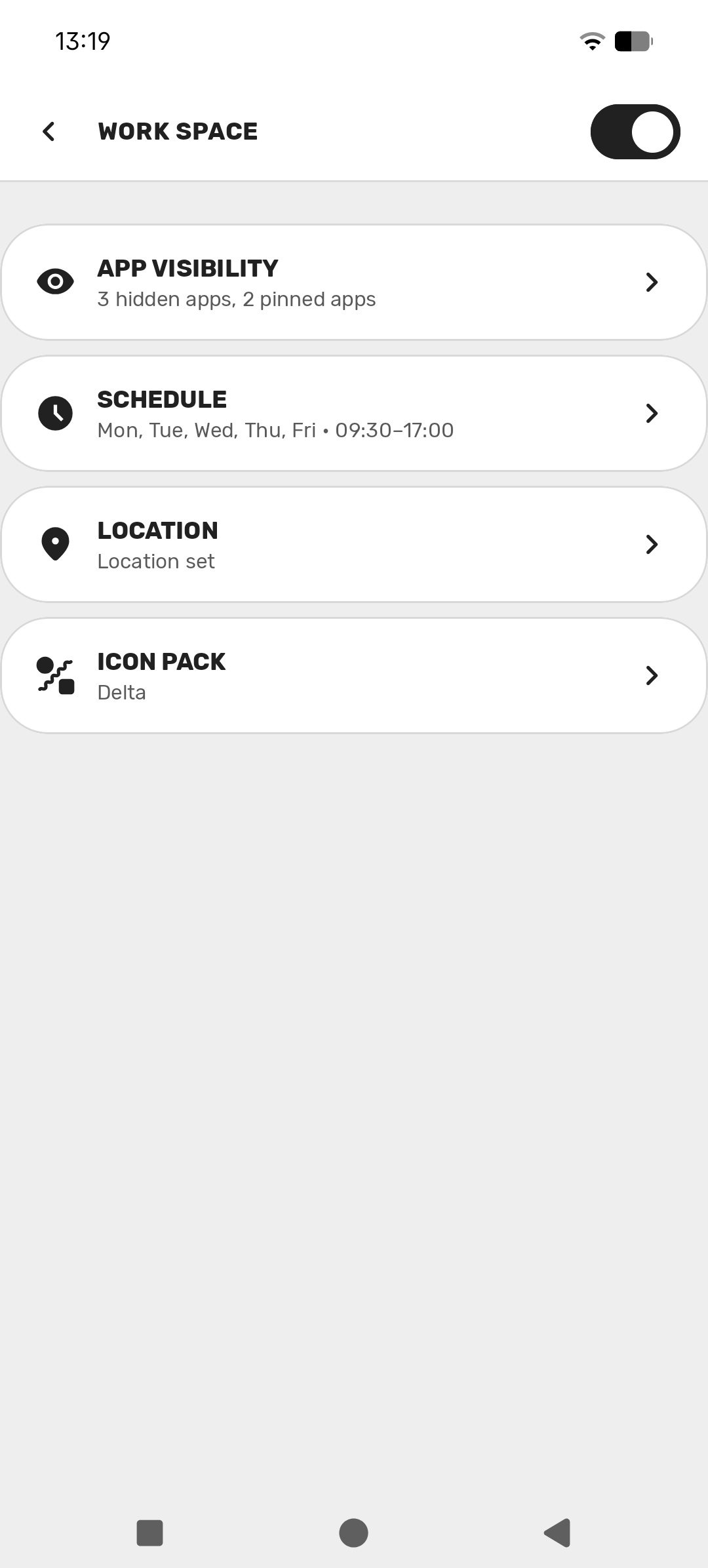
However, you have full control over what apps are shown on your home screen and can manually pin or hide apps yourself. Pinning apps makes them always show on the home screen, and hiding apps does the opposite. You can pin or hide apps for a specific space or for all spaces at once.
Space-Based Dashboards
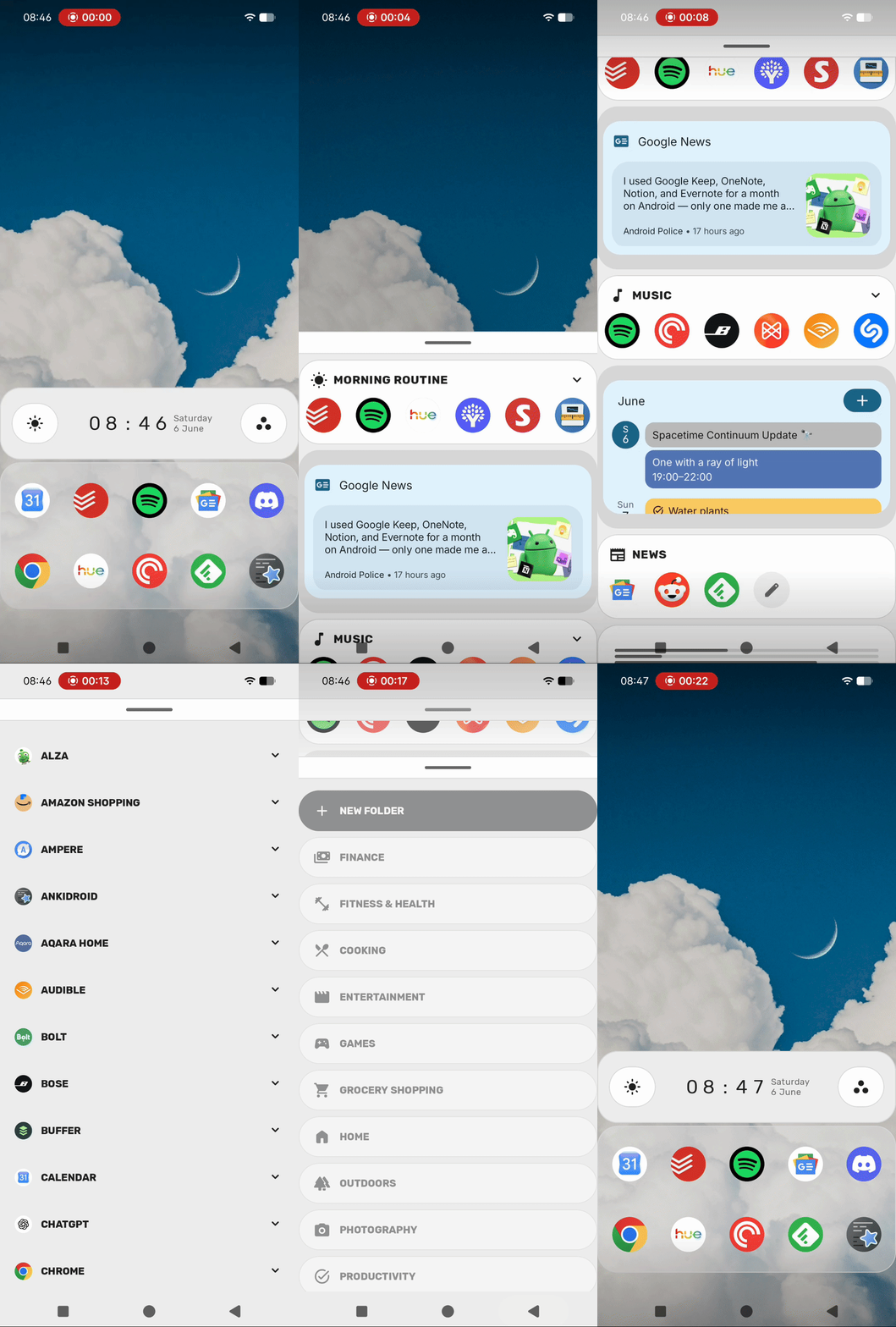
Each space comes with its own dashboard: a vertical list where you can place widgets and folders for that space.
This is for widgets or groups of apps that are relevant to a space, but not important enough to live directly on the home screen. Some spaces also come with default folders, like the Morning Routine folder for the Morning space.
Space-Based Icon Packs
Spaces can also change how your apps look, not just which apps appear on the home screen.
You can set an icon pack globally, use different icon packs for individual spaces, or mix both approaches.
Automatic Space Switching
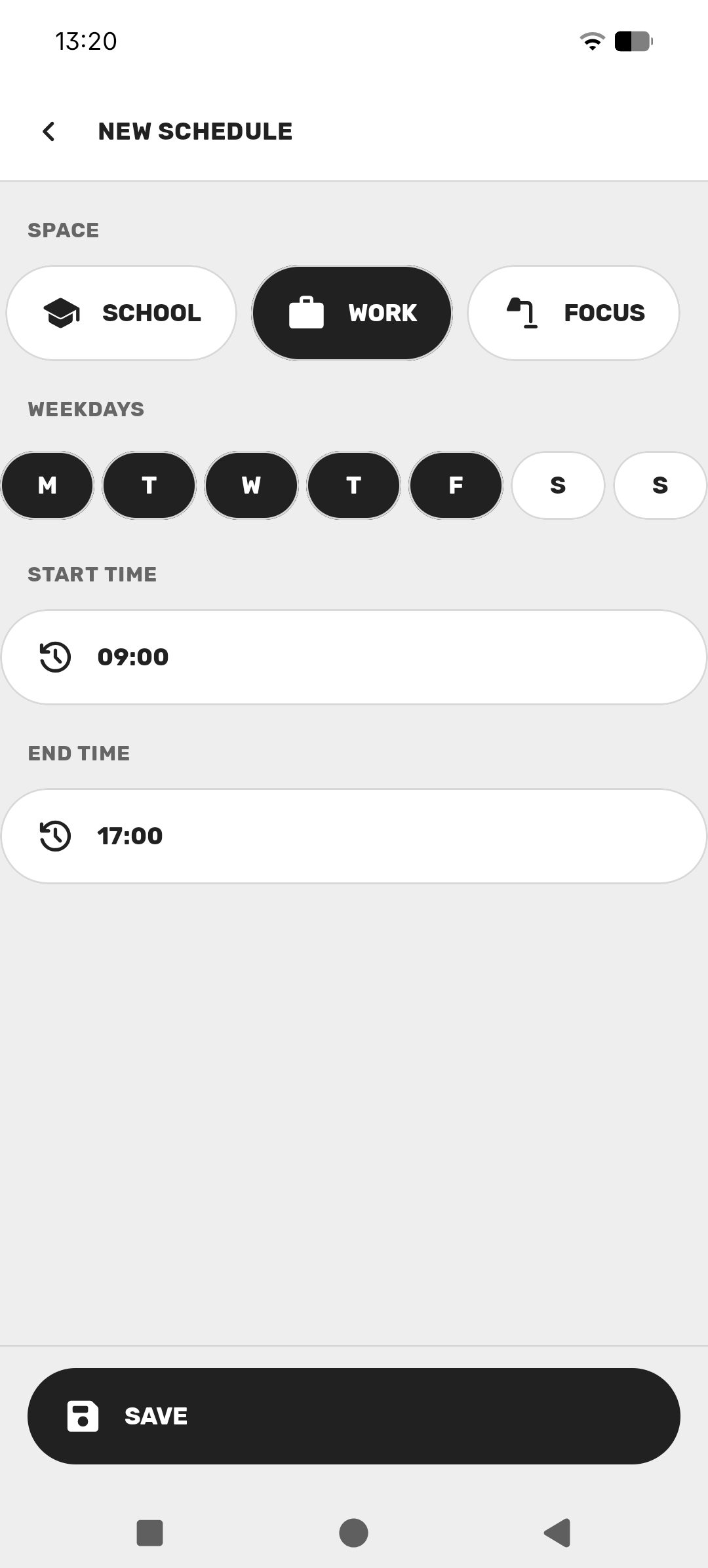
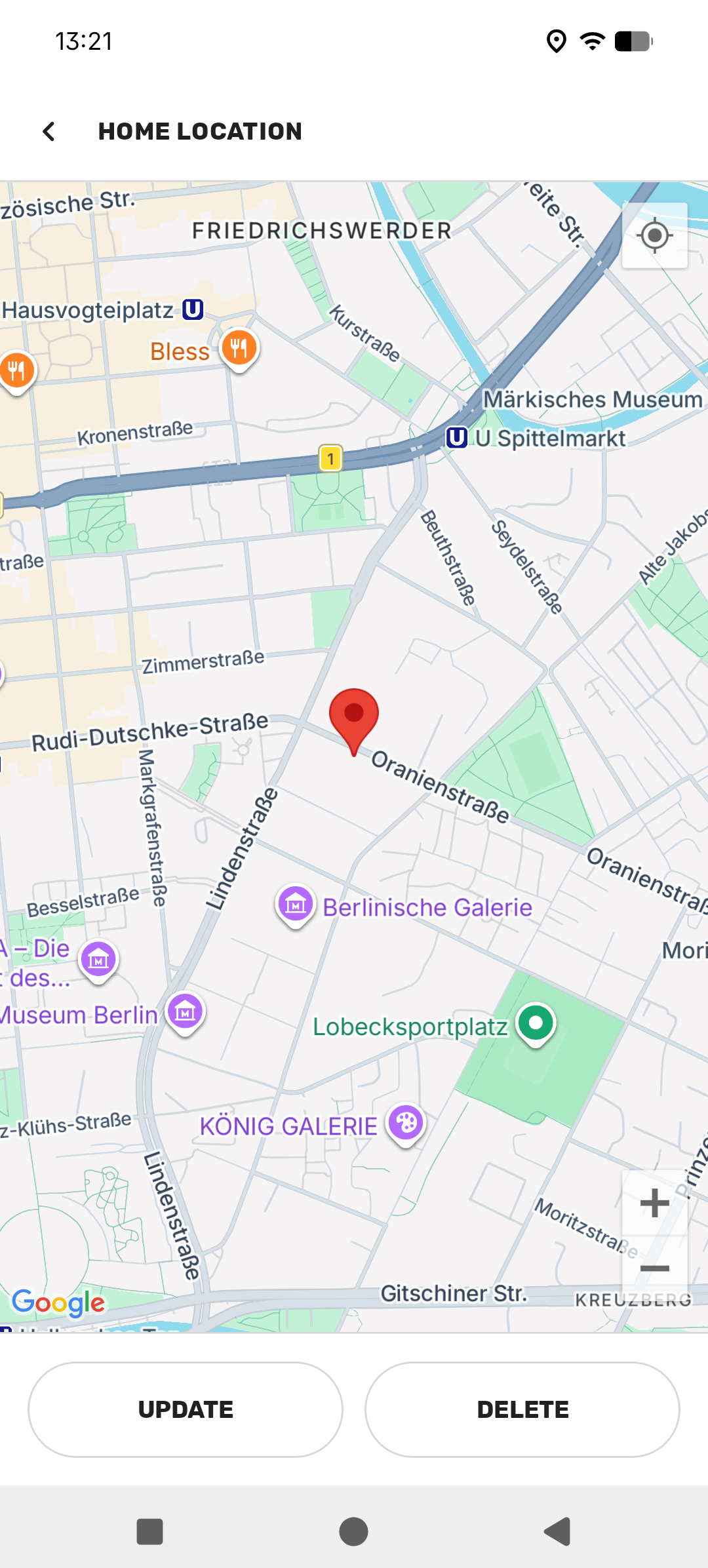
Spaces can switch automatically based on time and location.
For time-based switching, you can set schedules for specific days and hours. For location-based switching, you can set associated locations for each space. Entering one of these locations switches to the associated space, and leaving it switches to the Commute space.
Other Notable Features
Yasan Launcher has many more features than the ones mentioned above. These are some of the notable ones:
- Digital wellbeing: apps without screen time left for the day are never suggested by Yasan Launcher Intelligence.
- Notification dots: apps with notifications show a dot on their icon.
- Advanced search: Integrated calculator, word definitions, multiple search engines, and custom search engine support.
- Yasan widgets: a series of built-in widgets including photo frame and time progress widgets.
- No wallpaper mode: you can disable your wallpaper for a cleaner look.
- Work profile: work profile apps are automatically added to your work folder.
What To Expect Next
In the short term, you can expect bug fixes and stability improvements to the existing features. For the long term, I am focused on bringing more features to Spaces to make them more useful and intuitive.
I am very excited about the future of Yasan Launcher, and I hope you are too!
Yasan Launcher is currently in Research Preview and may change significantly before the final release. Your feedback is essential to help me shape what comes next.
If you have any feedback or suggestions, feel free to reach out through the social channels below.